
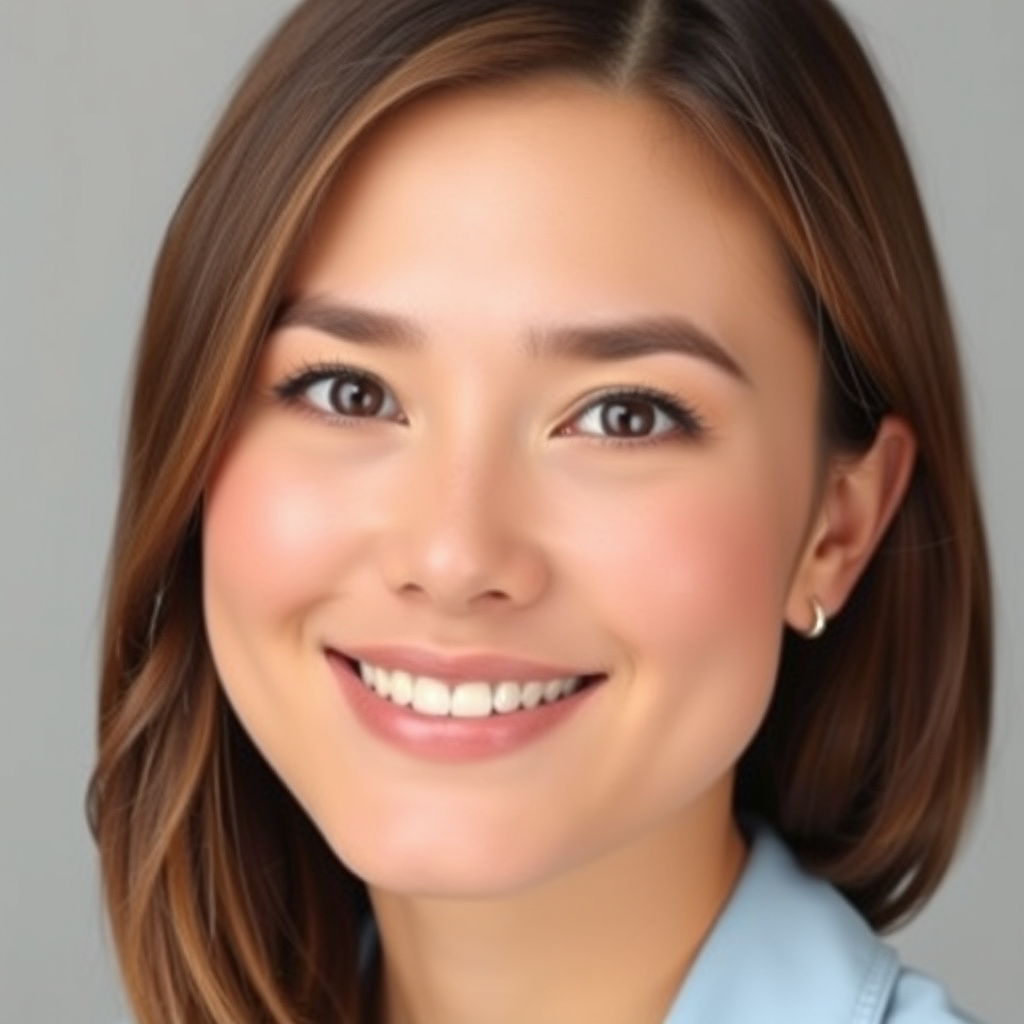
AI Profile Picture Generator

WizGenerator's AI Profile Picture Generator turns an original adult look brief into profile image directions shaped by crop, platform, style, aspect ratio, and safety rules.

Verified tool facts

Best for

Creators needing an original adult profile image direction for a chosen platform, persona, framing, style, and safety boundary.

Cost
Free
Sign-up
Not required
Input
Look + platform brief
Crops
6 options
Output
Profile image directions
Safety
Original adult looks
Not for

Identity verification, celebrity or private-person recreation, reference editing, likeness guarantees, or rights clearance.

Quick-fill an example

Profile Picture Image

Ready
Saved AI example

Generated by the live AI Profile Picture Generator from the selected sample. Generate again to replace it with your own result.

Generated image direction 1
Direction 1
Advertisement

Build a Profile Image That Reads at a Glance

Give the Image an Identity Job

A profile picture is a small identity signal. Decide whether it should introduce a professional person, a creator, a community, a game account, or a brand-like character. The audience and platform set the level of realism, clothing, expression, and background that will feel credible.

Describe an original or generic adult look rather than asking for a private person or living celebrity. Name the details that help the viewer recognize the account: facial features, hairstyle, clothing, expression, and the visual lane. The brief should communicate purpose without pretending to prove who someone is.

Build Recognition Into the Crop

People often see a profile image as a tiny circle or square. Choose the crop before you decorate the portrait. A tight headshot emphasizes expression. A shoulders crop gives clothing and context. A slight angle can add character, while a center-safe composition protects the eyes when a platform masks the corners.

Keep the face or focal mark large enough to read and leave the background quiet enough to support it. Aspect ratio changes the room available around the subject. Test the image at thumbnail size before you decide that a detail belongs.

Use Style and Light to Support the Face

Style lane, mood, lighting, and backdrop should reinforce the account's identity. A professional profile can use controlled light and a calm background. A gamer or artist can use stronger color and atmosphere. The style should add a signal without turning the face into a costume the audience cannot recognize.

Light sets expression and separation. A bright background needs a readable edge. A dark background needs enough face and hair detail. Keep contrast where the viewer looks first, and remove visual objects that compete with the identity job.

Review the Small Image and the Rights

Inspect the rendered image as a profile thumbnail, not only as a large portrait. Check eyes, teeth, hair edges, skin artifacts, clothing details, text-like marks, and the circle crop. Confirm that the image does not imply a real person's identity, endorsement, or verified account when it should not.

Before public use, review platform rules, likeness permissions, copyright and trademark concerns, and any disclosure duty that applies. Use an approved real-photo workflow when the account needs identity verification. An original avatar can express a persona; it cannot replace proof of who operates the account.

Choose a Profile Image Workflow for the Account

An AI avatar brief, a photo editor, and a professional headshot workflow solve different identity needs. Choose by whether you need an original persona, a controlled edit, or a real and verifiable portrait.

AlternativeChoose whenWatch for
Professional headshotAccounts where a real, recognizable person and trust in a workplace or client context matter most.A real photo requires preparation, lighting, and a photographer or controlled capture rather than an invented visual persona.
Photo editorRetouching, cropping, background changes, and controlled adjustments to an image you already own or have permission to edit.An editor starts from a reference and is less useful when you want a new generic character or original avatar direction.
ChatGPT ImagesDiscussing a persona and refining a profile-image concept through conversation.A conversational workflow still needs you to control crop, likeness boundaries, platform rules, and final inspection.

AI Profile Picture Generator Questions

What should I include in a profile picture brief?

Describe the account purpose, an original adult look, face and hair, clothing, expression, lighting, backdrop, crop, platform, and anything to avoid. The brief should say what the viewer needs to recognize at a small size, not only which colors or art style you like.

Can it recreate a celebrity or private person?

No. Use an original or generic look and do not request a photoreal recreation of a living celebrity or private person from memory. A profile image should not imply endorsement, identity verification, or permission to represent someone who did not authorize the use.

Which crop works for a profile?

Choose the crop that matches the destination. Tight headshots emphasize the face, shoulders crops add context, angled portraits add character, and circle-friendly framing protects the center from round masks. Preview the final image at the platform's thumbnail size before publishing it.

Can I use the image for LinkedIn or work?

You can request a professional visual direction, but decide whether your account requires a real, verifiable headshot. An AI avatar may not meet an employer, client, platform, or identity-check requirement. Review the platform rules and disclose synthetic imagery when the context calls for it.

Will the face stay consistent across generations?

No guarantee. This text-led tool creates new image directions and does not preserve a reference person's identity across separate generations. Keep a documented brief and use a reference-aware workflow when consistent character or product identity is essential.

Does the result prove ownership or originality?

No. A generated profile image is not proof of copyright clearance, trademark clearance, likeness permission, ownership, or account authenticity. Review the rules that apply to the image and the platform before you use it for a public or commercial profile.

Next Steps

Continue with a useful next action based on what you just created.

Continue From This Profile Picture

Move to a related tool when the next job is a display name, bio line, or banner pair—not another crop under this same form.

Add this generator to any page with a simple embed.

Get embed code