
AI Body Tattoo Generator

WizGenerator's AI Body Tattoo Generator turns one coherent visual brief into tattoo concept images shaped by style, aspect ratio, preservation rules, and permission-sensitive exclusions.

Verified tool facts

Best for

People who need tattoo concept images to discuss a subject, composition, style, frame, preservation rule, or artist consultation.

Cost
Free
Sign-up
Not required
Visual styles
5 options
Aspect ratios
4 options
Input
Tattoo image brief
Output
Concept images
Not for

Medical advice, stencil or healing guarantees, copying artists, cultural authorization, rights clearance, or replacing a qualified tattoo artist.

Quick-fill an example

Generated Image

Ready
Saved AI example

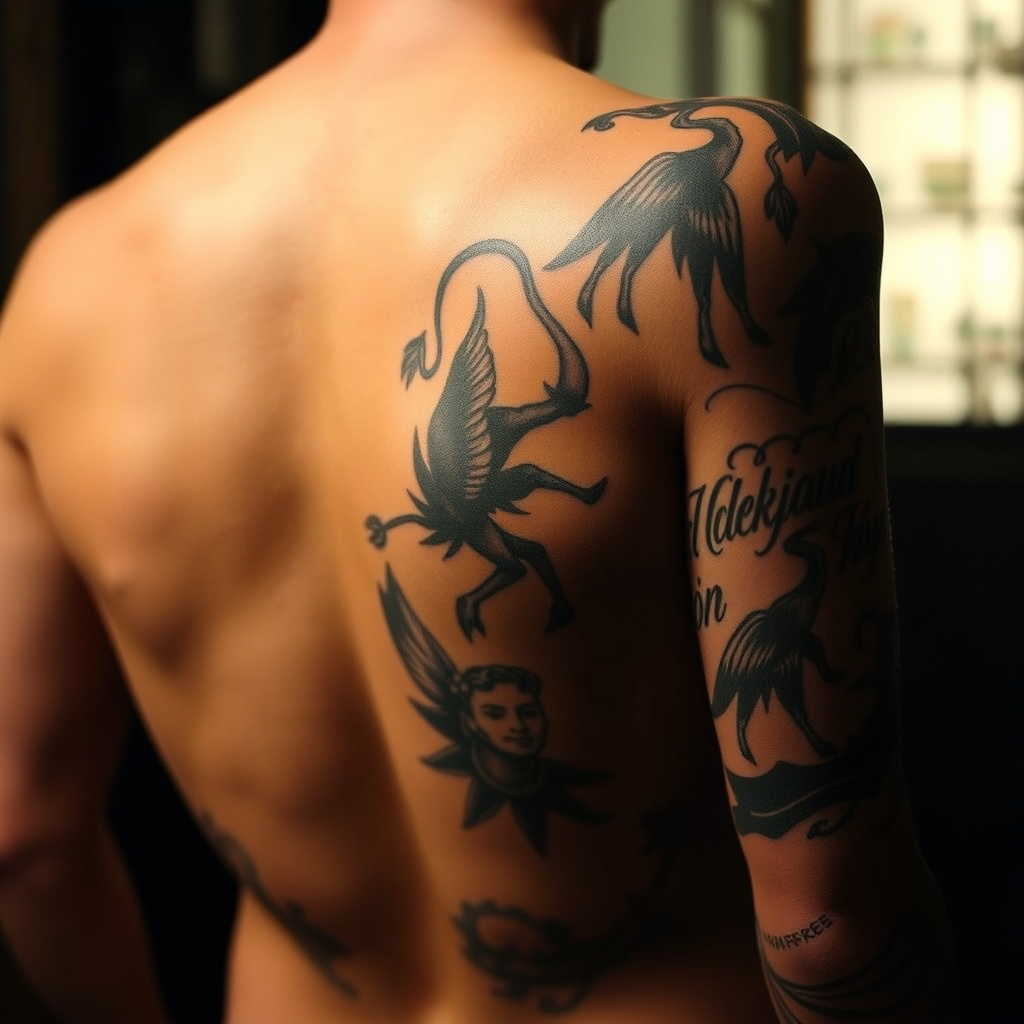
Generated by the live AI Body Tattoo Generator from the selected sample. Generate again to replace it with your own result.

Generated image direction 1
Direction 1
Advertisement

Turn a Tattoo Idea Into a Studio Conversation

Describe One Coherent Subject

A useful tattoo reference starts with one subject, symbol, scene, or visual idea and a clear composition. State what the viewer should see, where the focal point sits, and which elements support the story. A crowded brief produces an image that an artist cannot easily translate.

Explain the intended reference use and body context when you know it. A small forearm mark, back piece, cover-up, and ornamental band need different proportions and detail. The generated frame is a concept, not a stencil or a promise about skin.

Choose Style and Frame on Purpose

Visual style sets the language of the reference. Cinematic, editorial, illustrated, graphic, and minimal directions change shape, contrast, texture, and detail. Choose the style that helps you discuss the idea with an artist rather than chasing a finished effect.

Aspect ratio controls the frame, not the body's final contour. A square, portrait, tall, or wide reference can show composition, but the artist still adapts it to placement, anatomy, scale, line weight, and movement.

Keep Meaning, Remove Risk

Use Must keep and avoid to protect names, symbols, objects, colors, text, composition, and topics. State what cannot change and what should stay out. Do not reproduce another creator's recognizable work or protected artwork without permission. Bring references as discussion material, not as permission to reproduce another person's work.

Research symbols, religious imagery, cultural marks, language, and living-person likenesses before using them. A visual that feels decorative to one viewer may carry history or meaning the brief ignores. Ask the people and sources that can provide context.

Consult, Check, and Care for the Result

Show the concept to a qualified tattoo artist before booking or printing. Discuss size, line weight, palette, anatomy, longevity, and whether the idea can be adapted safely. The artist may redraw, simplify, or reject parts of the concept.

Follow licensed artist and health guidance for equipment, inks, healing, and aftercare. The generated reference cannot evaluate your body, approve a shop, forecast recovery, or identify a medical issue. Pause and seek appropriate medical care if a health concern appears.

Choose a Tattoo-Design Workflow

A tattoo concept generator, an artist consultation, and health or rights review support different stages of getting a tattoo. Choose by whether you need visual starting points, a feasible original design, or safety and context checks.

AlternativeChoose whenWatch for
Tattoo artist consultationAdapting an idea to anatomy, placement, scale, linework, color, skin, aging, cover-up limits, and an original tattoo design.A consultation takes time and budget, but the artist can assess the body and craft a design an image model cannot certify.
Health and aftercare guidanceUnderstanding studio hygiene, ink risks, healing, aftercare, and when a skin concern needs professional attention.Health guidance supports safer decisions but cannot choose the concept or replace care from a clinician when needed.
ChatGPTExploring tattoo subjects, composition, symbolism, style references, artist questions, and must-keep or avoid rules.A general conversation still needs consent, cultural research, rights checks, artist adaptation, and health review.

AI Body Tattoo Generator Questions

What should I include in a tattoo image brief?

Describe one subject and composition, focal point, placement context, visual style, aspect ratio, colors, text, must-keep elements, exclusions, cultural or permission-sensitive limits, and what the artist should discuss with you. Mention any skin or placement concerns early.

Will it create a tattoo stencil?

No guarantee. It creates visual concept images. A qualified tattoo artist must adapt the idea to placement, skin, scale, line weight, aging, equipment, and their own professional process. Do not treat an image as a ready-to-ink stencil.

Can I copy another artist's tattoo?

Use references to discuss direction, not to reproduce a living artist's signature work or a copyrighted design without permission. Ask for an original concept, credit and obtain rights where needed, and let your artist develop the final drawing.

Can it design a cover-up?

It can explore visual directions, but a cover-up depends on existing ink, skin, scar tissue, placement, contrast, size, and the artist's technique. Show the actual area to a qualified artist and let them assess what is feasible.

Is getting a tattoo safe?

Safety depends on the studio, artist, equipment, inks, skin, health, placement, and aftercare. Review current health guidance and ask the artist about hygiene and risks. The generator cannot inspect a studio, predict healing, or diagnose an infection.

Can I use a sacred or cultural symbol?

Research its history and meaning, avoid treating living traditions as decoration, and seek guidance from people connected to the tradition when appropriate. Add context and limits to the brief, then let your artist help you choose a respectful original direction.

Next Steps

Continue with a useful next action based on what you just created.

Continue From This Image

Use a text tool when the next job is copy or names.

Add this generator to any page with a simple embed.

Get embed code