AI Flag Generator

WizGenerator's AI Flag Generator turns colors, symbols, and a theme into four custom flag concept image variations.

Verified tool facts

Best for

Fiction writers, community projects, event planners, and creators who need four custom flag concept directions.

Cost
Free
Sign-up
Not required
Input
Colors, symbols, theme
Images
4 variations
Ratios
3 choices
Action
Download
Not for

Official national or municipal flags, vector/fabric production, registration, rights clearance, or manufacturing.

Quick-fill an example

Your Flag Concept Variations

Ready
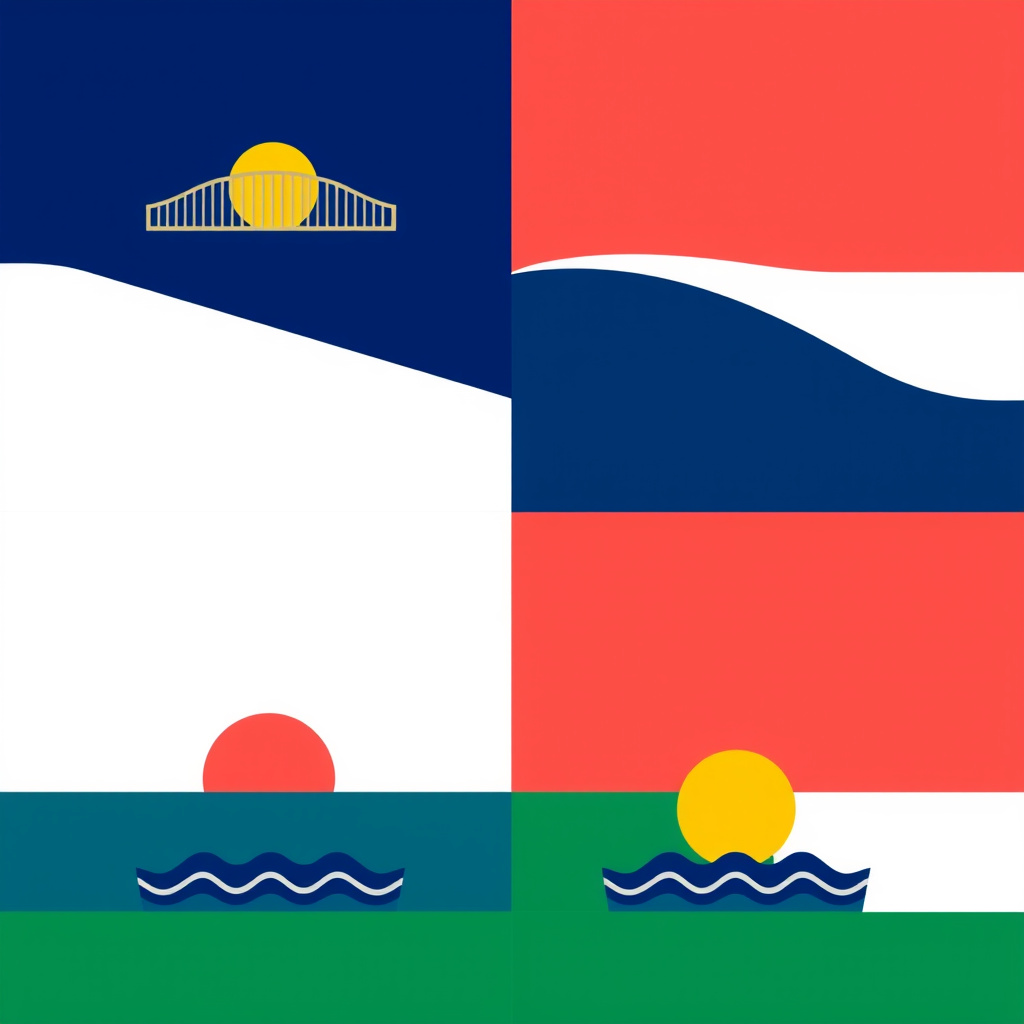
Saved AI example

Generated by the live AI Flag Generator from the selected sample. Generate again to replace it with your own result.

Generated image direction 1
Direction 1
Advertisement

Make the Theme Visible From a Distance

Give the Theme a Visible Center

A flag needs a quick visual answer to the question of what it represents. Start with the theme, then choose the one relationship that makes that theme visible. A bridge can connect, a seedling can grow, and a compass can guide, but the meaning comes from the brief and its context rather than a universal symbol dictionary. Keep the central idea legible before adding decoration.

Limit the symbol inventory. A field, one main charge, and a small supporting shape often communicate more clearly than a collection of tiny objects. Place must-include relationships in the brief, then let the four variations explore where those shapes live. The design should help a viewer recognize the identity, not require a paragraph of explanation before the flag makes sense.

Use Color and Geometry as Structure

Colors do more than decorate a flag. They separate fields, frame a symbol, and establish contrast when the design moves, folds, or shrinks. Choose a restrained palette with a clear light-dark relationship. A beautiful set of similar tones can disappear against a sky, wall, screen, or grayscale copy. Test the color roles instead of judging swatches in isolation.

Layout gives those colors a visual grammar. Bands, a diagonal field, and a central charge create different reading paths. Let the chosen structure keep the theme simple and the main symbol large enough for distance. Avoid small text, intricate seals, and crowded borders. The image generator can vary geometry, but the brief should establish the visual priority.

Design for Distance and Context

A flag may appear on a screen, a story map, an event display, or a physical pole, and each setting changes how much detail survives. Set a visibility target before generation. Readable at a distance, clear in grayscale, and recognizable at thumbnail size are different tests that can expose a weak silhouette or low-contrast symbol.

Context also changes the meaning of resemblance. A fictional flag may share a visual vocabulary with its setting, while a community concept must avoid implying an official institution or national affiliation. Keep the display context explicit and remove marks, lettering, and symbols that could mislead the viewer. Use the result as a concept, not as evidence that an organization has adopted it.

Review the Flag Before Real Use

Inspect each variation small, large, and in grayscale. Check whether the theme survives, the colors separate, the symbol remains recognizable, and the flag still feels balanced when its edges are cropped or folded. Compare it with existing flags, seals, logos, and protected marks. Invite a knowledgeable local reader to assess symbols that carry cultural, political, or religious meaning.

Prepare production artwork separately. A final flag may require vector geometry, material decisions, dimensions, stitching, permissions, registration, or an official approval route. This generator does not settle those questions. Keep the concept's use context honest, add exact lettering only after a layout pass, and ask the responsible owner to approve the final asset before display.

Choose a Flag Concept or Production Tool

A concept generator explores theme and symbolism, while a design or production workflow handles exact geometry, fabrication, and any official review required for a real flag.

AlternativeChoose whenWatch for
Flagmaker PrintChoose when you need a custom flag design path connected to physical production.A production workflow adds fabrication choices that a concept image does not solve, including material and final file checks.
The Flag InstituteChoose when you need principles for simplicity, symbolism, contrast, and flag evaluation.Design guidance helps you judge a flag but does not generate a custom visual direction from your theme.
Logo GeneratorChoose when the project needs a compact modern mark rather than a flag with field geometry and distance visibility.A logo workflow solves a different asset shape and does not establish how the design should read when displayed as a flag.

AI Flag Generator Questions

Can it create an official national or municipal flag?
No. It creates custom flag concepts from your colors, symbols, and theme. It does not establish official affiliation, replace a public design process, register a flag, or decide whether a design may represent a government, organization, or community.

Can I get a vector or fabric-ready file?
No. The image workflow returns downloadable concept images. It does not provide editable vector paths, stitching instructions, material specifications, print calibration, manufacturing, or production approval. Move a chosen direction into a suitable design and fabrication workflow.

Can I include words or a motto?
The form accepts a motto area as a layout cue; generated words may come out misshapen, and small text can weaken a flag at distance. Add exact words later with verified typography and check whether the context actually needs lettering. A symbol often travels better than a sentence.

How do I avoid copying an existing flag?
Compare the concept with national, municipal, organizational, military, and protected flags before using it. Check the color order, field geometry, symbols, and overall silhouette rather than looking only for an identical picture. A heraldry, vexillology, legal, or rights specialist can review a design intended for official or commercial use.

Does a color or symbol have one fixed meaning?
No. Meanings change across cultures, histories, groups, and situations. The tool treats your explanation as the design context and cannot certify a universal interpretation. Invite a cultural or heraldic adviser to assess a symbol when its use could affect identity, community trust, or public understanding.

Can I print or manufacture the result?
You can download a concept and test its visibility. Dimensions, aspect, fabric behavior, stitching, color reproduction, and manufacturing acceptance remain for a separate production check. Prepare the final file with the printer, maker, event, or authority that will use it.

Next Steps

Continue with a useful next action based on what you just created.

Develop the Flag Into a Mark

After comparing the concepts, prepare exact artwork in a suitable design workflow and check resemblance, cultural context, rights, and fabrication requirements before official use.

Add this generator to any page with a simple embed.

Get embed code