AI Album Cover Generator

WizGenerator's AI Album Cover Generator turns artist, title, and music style into four cover-art image variations with typography space.

Verified tool facts

Best for

Musicians and independent creators who need four cover-art directions from an artist, album, genre, and visual brief.

Cost
Free
Sign-up
Not required
Input
Artist/title/style
Images
4 variations
Ratios
3 choices
Action
Download
Not for

Editable typography, photo likeness, distributor acceptance, rights clearance, print calibration, or music release management.

Quick-fill an example

Your Album Cover Variations

Ready
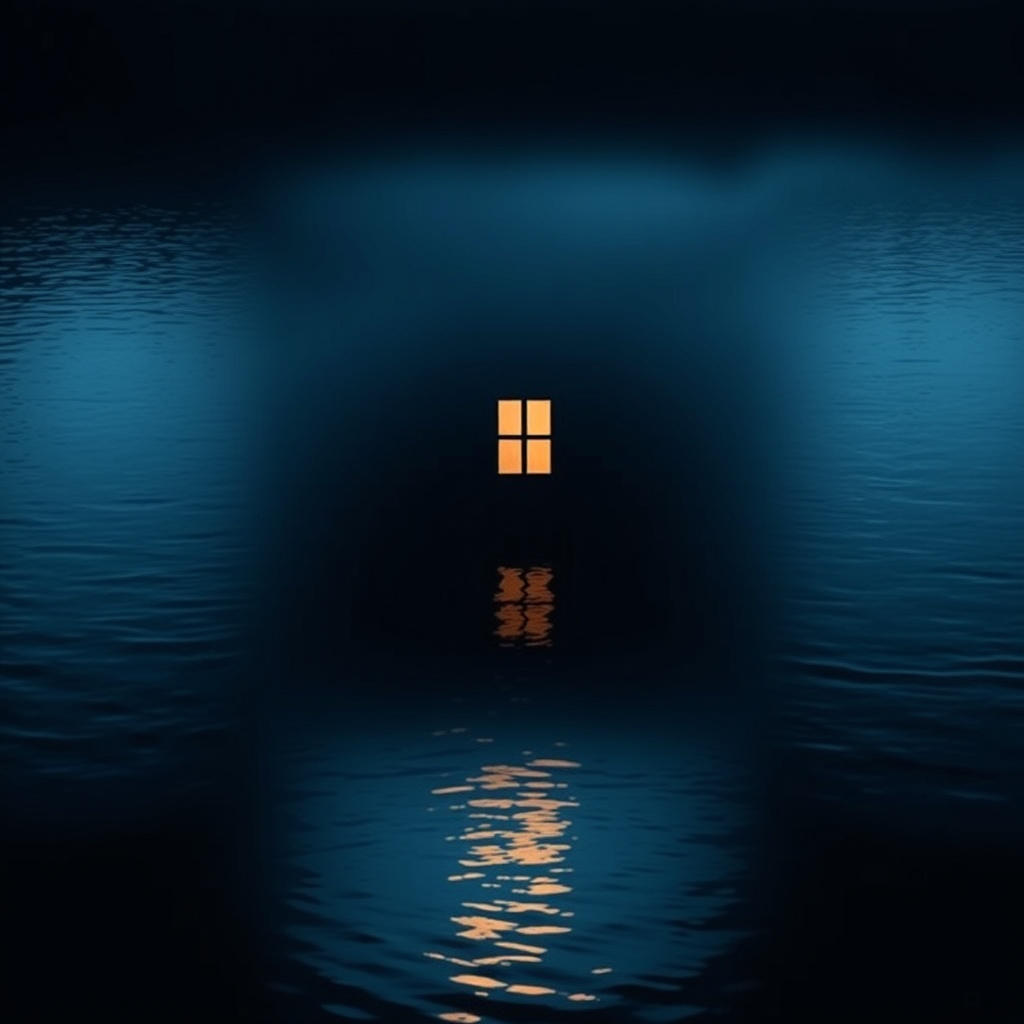
Saved AI example

Generated by the live AI Album Cover Generator from the selected sample. Generate again to replace it with your own result.

Generated image direction 1
Direction 1
Advertisement

Turn a Music Brief Into Visual Identity

Start With the Music's Visual Identity

An album cover gives a listener a first visual signal before the music begins. Artist name, title, and genre establish the identity, but they need a concrete direction to avoid generic microphones, vinyl records, or abstract color. Add a mood and visual concept that describe what the release should feel like or what image could carry its central idea.

Audience helps decide how direct that signal should be. A niche electronic record may welcome a sparse symbol, while an intimate folk release may need a tactile scene. Use supplied details as creative constraints, not as facts the image can verify. The cover should suggest the music without inventing a biography, review, or story about the artist.

Leave Space for the Final Type Layer

Generated lettering often needs a designer's correction. Artist and album titles may be misspelled, distorted, or hard to read when an image model draws them as part of the scene. Reserve a clean area when the final release needs typography, then add the exact words in a suitable design workflow. Approximate text can guide the visual concept, but it should not become the only copy of the release metadata.

Composition protects that later work. Keep the focal subject away from the planned title area, maintain contrast, and check the cover at thumbnail size. A strong image with no room for type can create more work than a quieter direction with clear hierarchy. Decide whether the art carries the identity alone or supports a separate title and artist layer.

Use Mood, Palette, and Metaphor Together

Mood describes the emotional temperature, while palette and visual metaphor give it visible form. Indigo and wet silver can suggest a nocturnal electronic atmosphere when paired with a reflected light source; warm paper and open grass can support a departure theme in a different way. These choices work together better than a list of disconnected style adjectives.

Keep the requested genre from turning into imitation. Name qualities such as restrained contrast, geometric light, hand-drawn texture, or sparse composition instead of asking for a living artist's recognizable style. Exclude logos, label marks, celebrity likenesses, and borrowed artwork. The goal is a cover direction the artist can evaluate and develop, not a claim that the image belongs to a particular cultural or commercial identity.

Check the Cover Before Release

Inspect all four variations as both a large image and a small thumbnail. Confirm that the subject, mood, palette, focal point, and typography space fit the brief. Look for accidental symbols, watermarks, unreadable text, distorted objects, recognizable likenesses, brand marks, and details that could create a rights or content problem. Reject a striking image when it misrepresents the release.

Prepare the final asset separately. Add exact artist and album text, check the distributor's format and cover-art requirements, review ownership and permissions, and test the image in the release context. The generator does not calibrate print or platform delivery and does not clear copyright, trademarks, style imitation, or likeness. The artist or rights holder owns the final approval decision.

Choose Cover Concepts or Final Release Design

A cover-art generator explores visual directions from a music brief, while a design workspace handles typography and layout and a distributor's rules determine whether the final asset can be delivered.

AlternativeChoose whenWatch for
Adobe Express album coversChoose when you need a broader layout workflow for arranging cover text and graphic elements.A design workspace adds manual choices and still requires a separate check for artwork rights and release requirements.
Canva album coversChoose when a template or design editor should control final type, spacing, and export layout.Templates provide layout control but do not make an image concept original, suitable, or cleared for distribution.
Spotify cover-art requirementsChoose when you need to check the platform rules for artwork before delivering a finished release asset.A requirements page explains acceptance criteria but does not create a visual concept from the music brief.

AI Album Cover Generator Questions

Will the image contain readable album and artist text?
You can ask for approximate title text or reserve a clean area for later typography. Generated lettering can distort words, so place the final artist and album lettering in a separate layout pass before release. Treat any lettering inside the image as a visual draft, not final metadata.

Can I use a photo of the artist?
No. This tool does not accept a photo for likeness preservation, portrait editing, or reference-image transformation. If the cover depends on a real person's likeness, obtain permission when needed and have the release owner approve the final image.

Can it guarantee Spotify or distributor acceptance?
No. The tool creates visual directions and does not certify dimensions, file format, content policy, metadata, or delivery acceptance. Check the current requirements for the distributor or platform you will use, then prepare and test the final asset separately.

Can I request a style that copies a famous artist?
No. Describe palette, geometry, texture, lighting, or composition in your own terms. Requests to mimic a living artist are outside the brief. Review each variation for accidental imitation, logos, trademarks, and borrowed imagery before using it in a release or promotion.

Can I create a cover for a podcast or single?
You can use the form for a music-related visual brief, but the contract focuses on album-cover directions. A podcast, single, playlist, or campaign may have different text, size, and platform requirements. State the actual use context and check its current artwork rules before finalizing the image.

Does it clear copyright or trademark rights?
No. It does not establish ownership, permission, originality, trademark clearance, or distribution rights. Check recognizable people, logos, symbols, artwork, and requested references yourself. The artist, label, or rights holder must approve the final cover and its release use.

Next Steps

Continue with a useful next action based on what you just created.

Prepare the Release Around the Cover

After choosing a visual direction, add final typography and metadata in a suitable design workflow, then check the actual distributor and rights requirements before release.

Add this generator to any page with a simple embed.

Get embed code